Internal Application
(Business Activity Monitor)
Enterprise UX | Internal tools | OutSystems
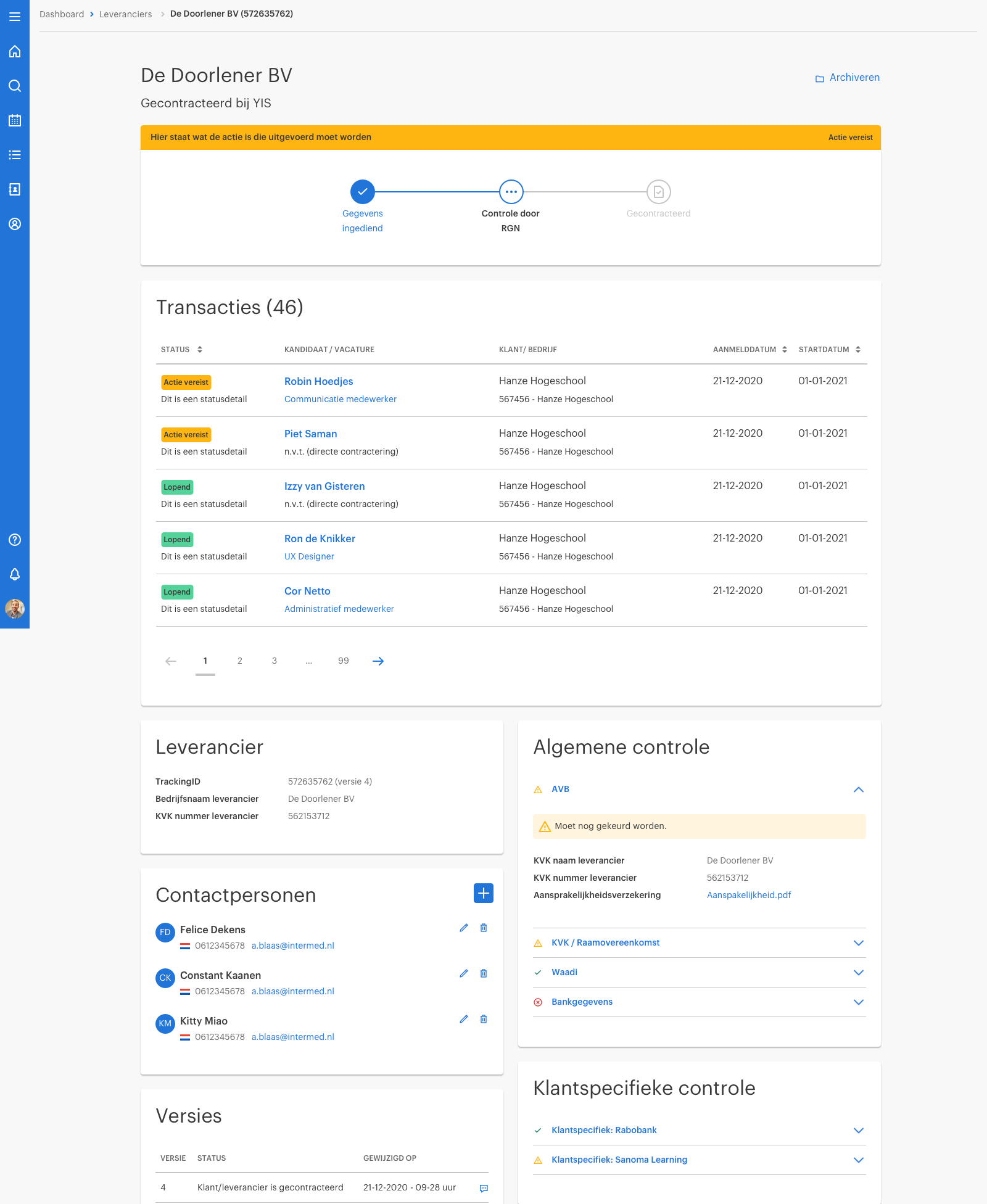
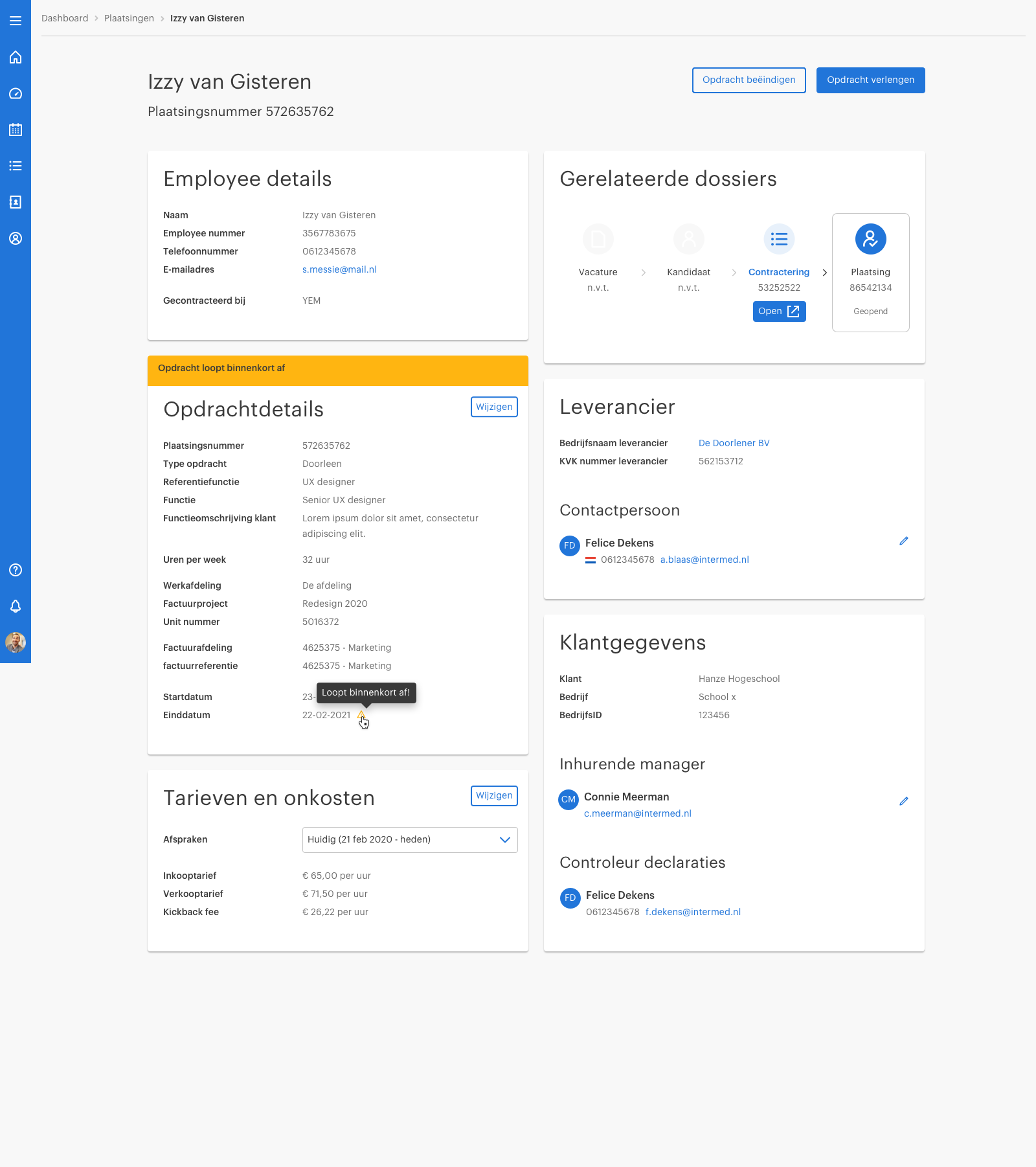
For this project, I designed a crucial internal application that forms the core of our business operations. The platform was specifically built for our mid- and back-office staff and consultants, with the goal of centralizing the management of all incoming client requests. This project was crucial for optimizing our teams' workflow and improving the overall quality of our service delivery.
The platform facilitates essential tasks such as screening job descriptions, proposing the right candidates, and providing direct support for client issues. By centralizing and streamlining these processes, the application helps our employees work faster and more efficiently while providing a seamless experience for our clients.
Simplifying complex workflows for internal operations
Designing a centralized application that helps mid- and back-office employees and consultants manage client requests, screen job descriptions, propose candidates and extend contracts.
Project overview:
Company: Randstad
Role: Senior UX Designer
Team: Product Owner, Business Analyst, Senior UX Designer and 2 OutSystems developers
Duration: 2–3 months (initial design phase)
Tools: Figma, OutSystems
Responsibilities: UX research, interaction design, prototyping, usability testing and design implementation
Soft skills: Collaboration & presenting
Problem Statement
Mid- and back-office staff currently manage incoming client requests across multiple disconnected tools, leading to inefficiencies, duplicated work, slow turnaround times, and inconsistent service delivery. Critical tasks such as job-description screening, candidate proposal, and client support require significant manual effort and lack a centralized workflow, making it difficult to track progress and collaborate effectively.
To improve operational speed and service quality, the organization needs a unified platform that streamlines request intake, decision-making, task execution, and communication across teams.
Our design objectives
Centralize essential tasks and client request information.
Reduce unnecessary steps and manual work.
Improve visibility of request statuses and next actions.
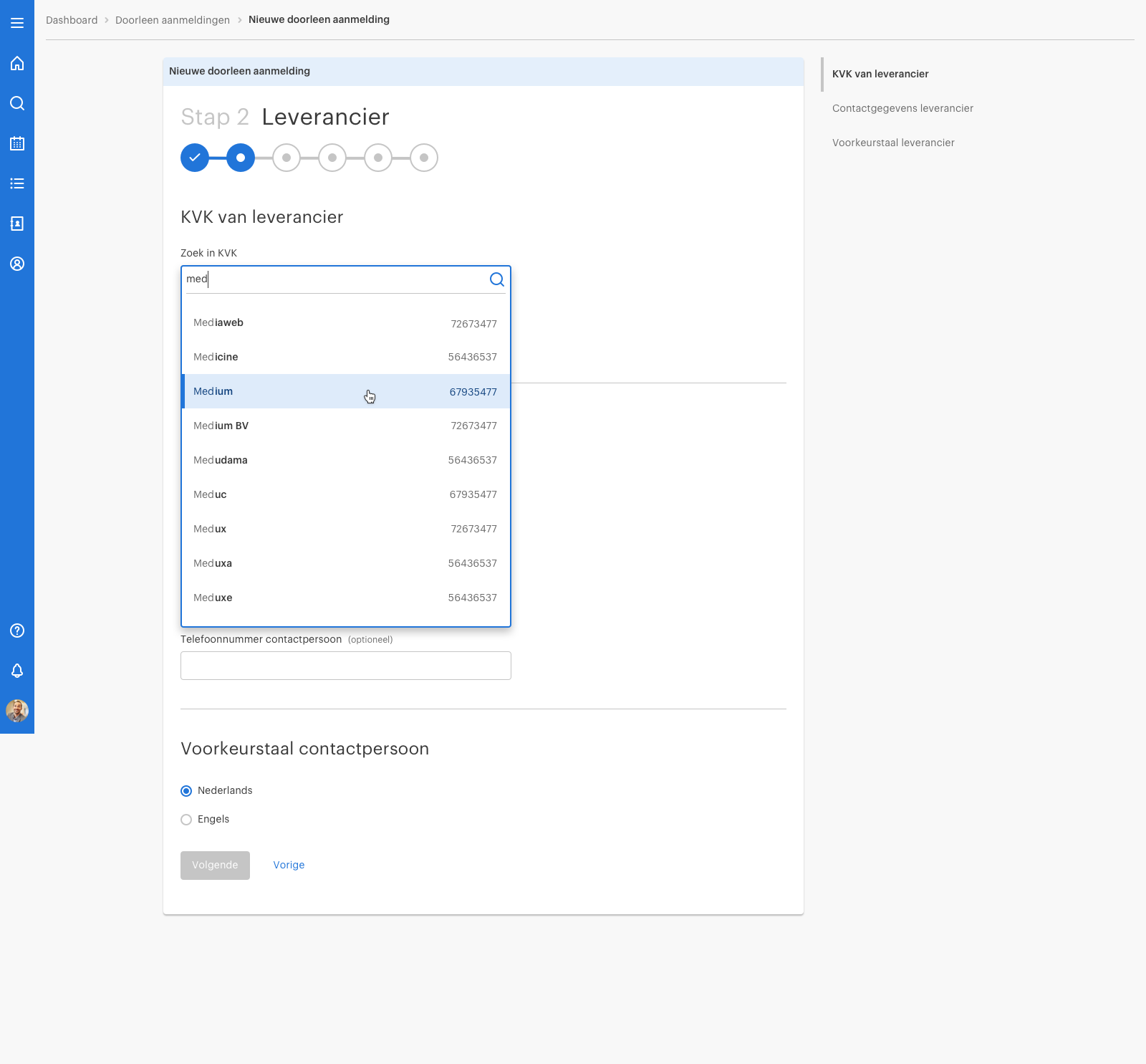
Establish consistent, reusable interaction patterns.
Create a scalable foundation for future functionality.
Phase 1: Discovery & research
Understanding ow employees actually work
Before designing the application, I worked with another Senior UX Designer to understand the daily activities of mid- and back-office employees and consultants.
We conducted field observations, interviewed employees and analyzed the existing systems they used to manage client requests. By observing people in their actual working environment, we could identify challenges that might not have emerged from interviews alone.
Research activities
Field observations and employee interviews.
Analysis of existing tools and workflows.
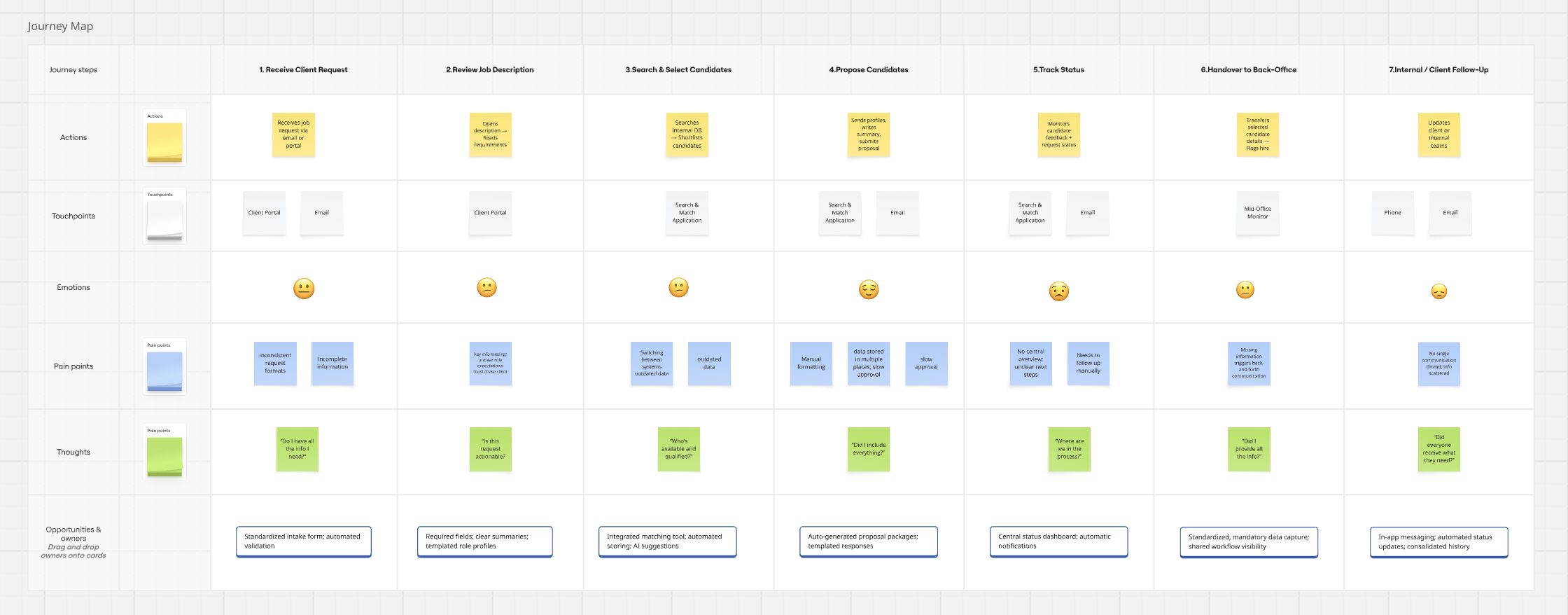
User journey mapping and task analysis.
Identification of bottlenecks and opportunities.
Translating research into design opportunities
Our research informed the application’s core functionality, information architecture and interaction patterns.
Deliverables
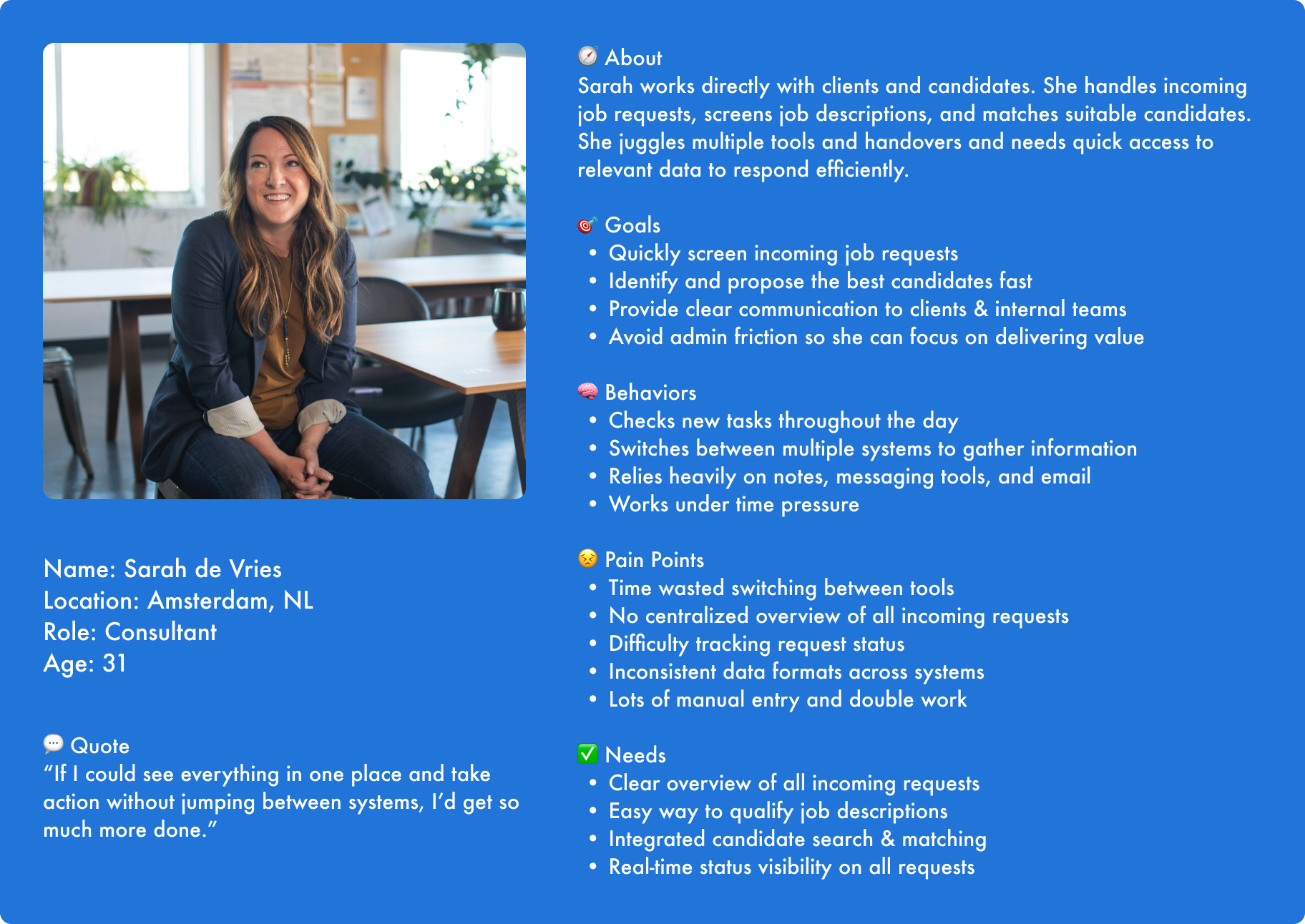
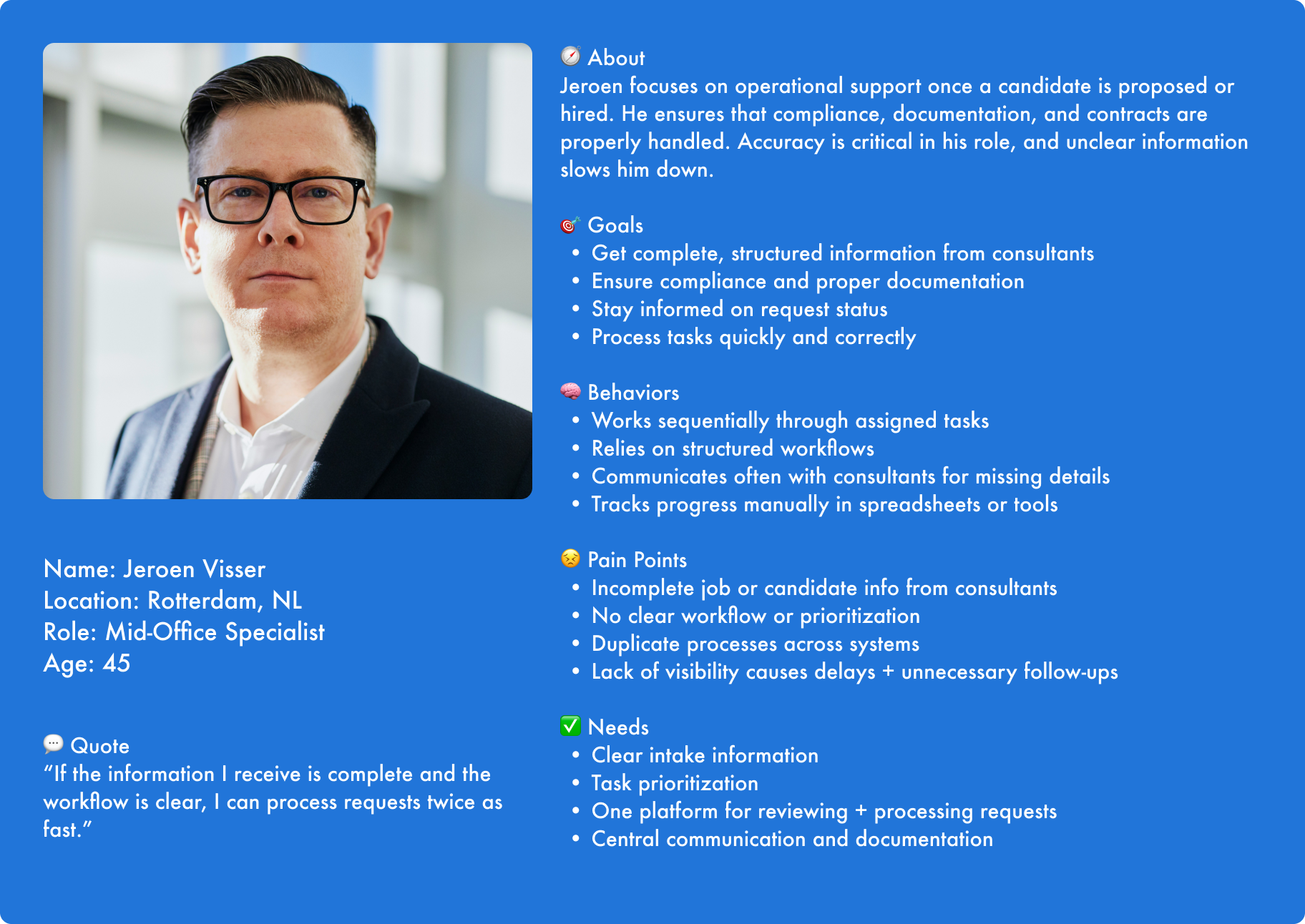
Personas (Mid-office & Consultants)
User journey maps
Task analysis

Phase 2: Prototyping & Setting the Foundation
Designing for efficiency, consistency and scalability
Based on the research findings, I translated the requirements into user flows and a high-fidelity prototype covering the application’s most important tasks.
My focus was to create a coherent experience across different workflows while balancing user needs, business requirements and technical feasibility.
Rather than designing each screen independently, I established reusable layouts and interaction patterns that could support future functionality.
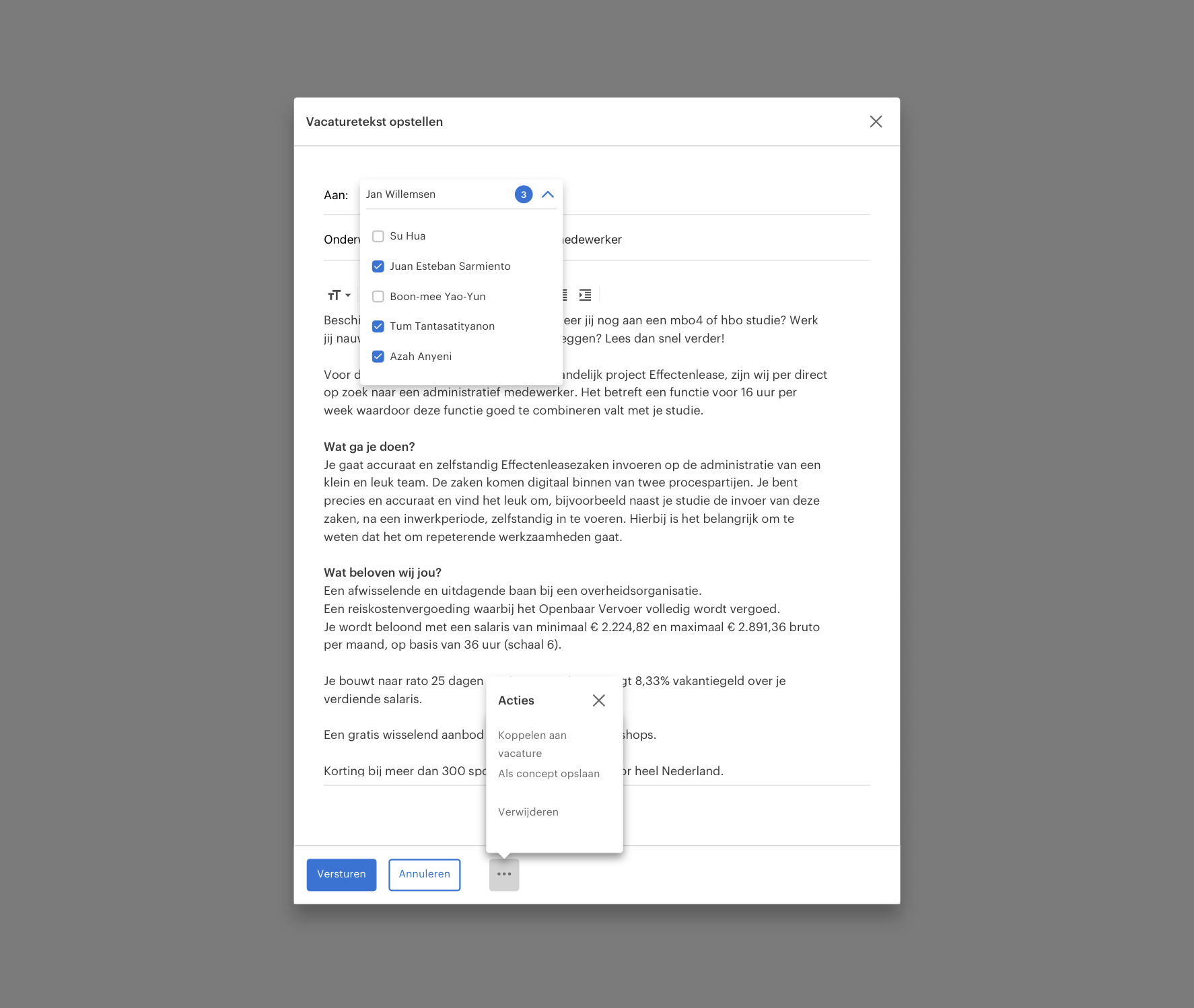
Design challenge 1: Streamlining job-description screening
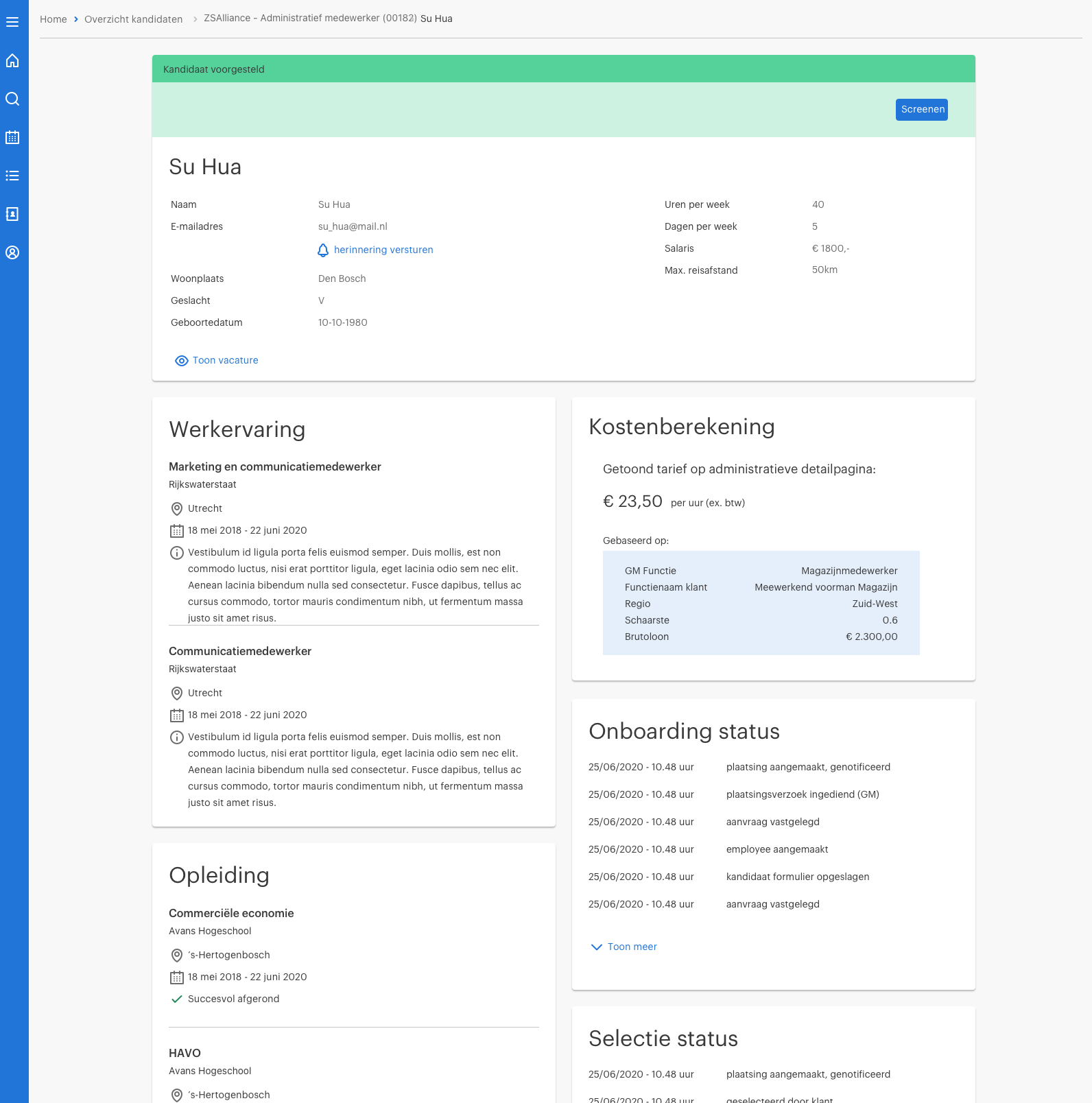
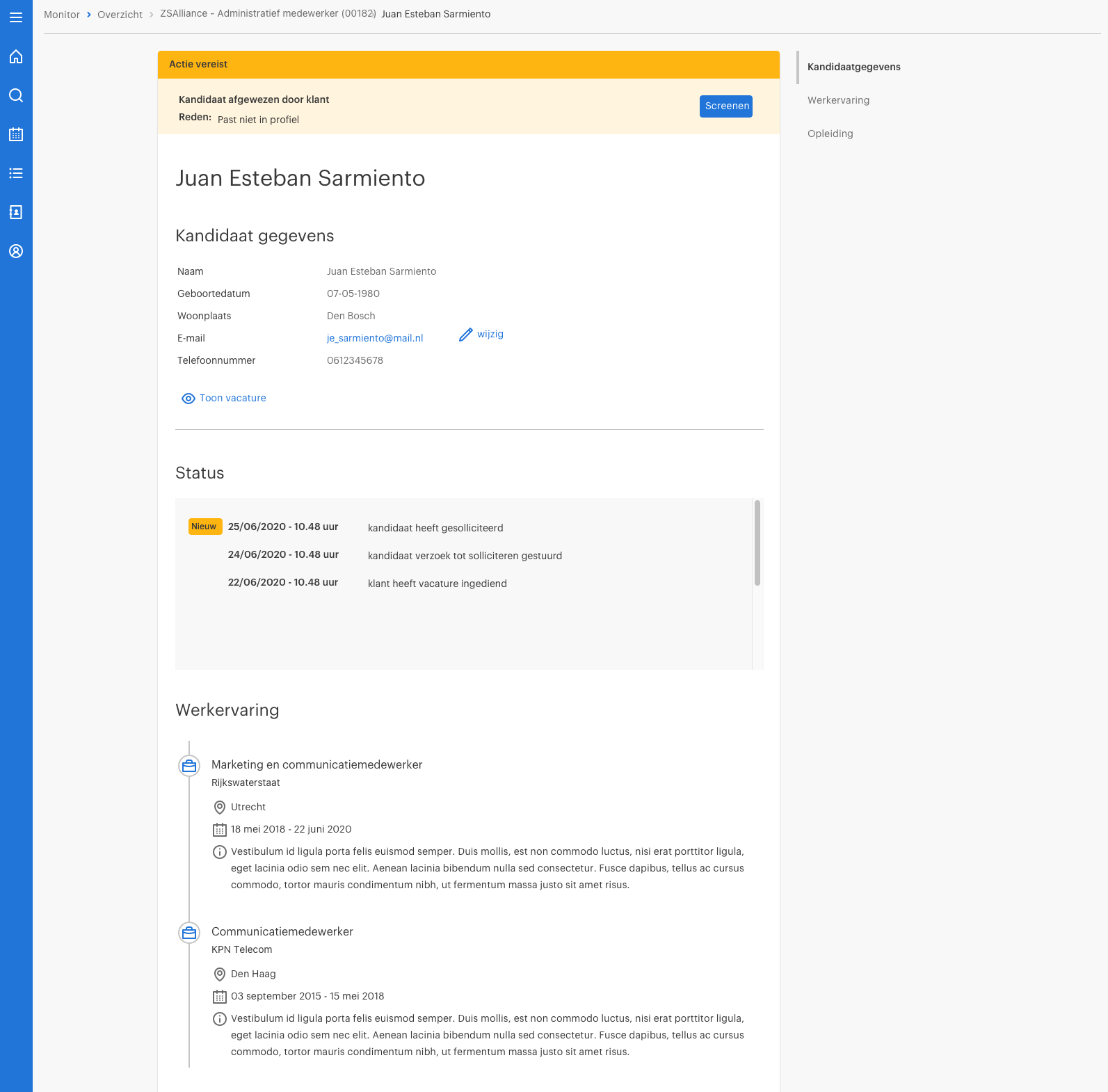
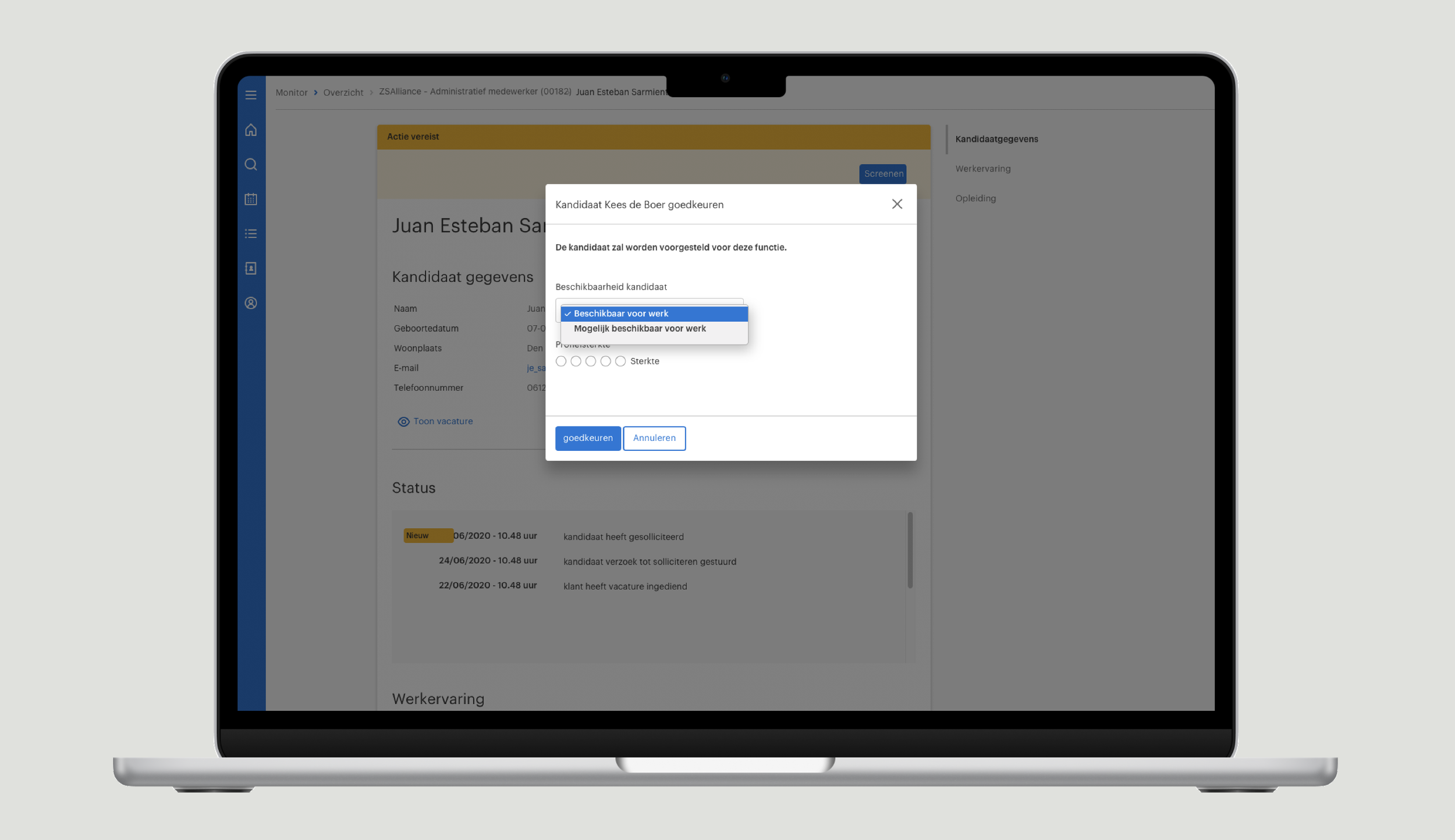
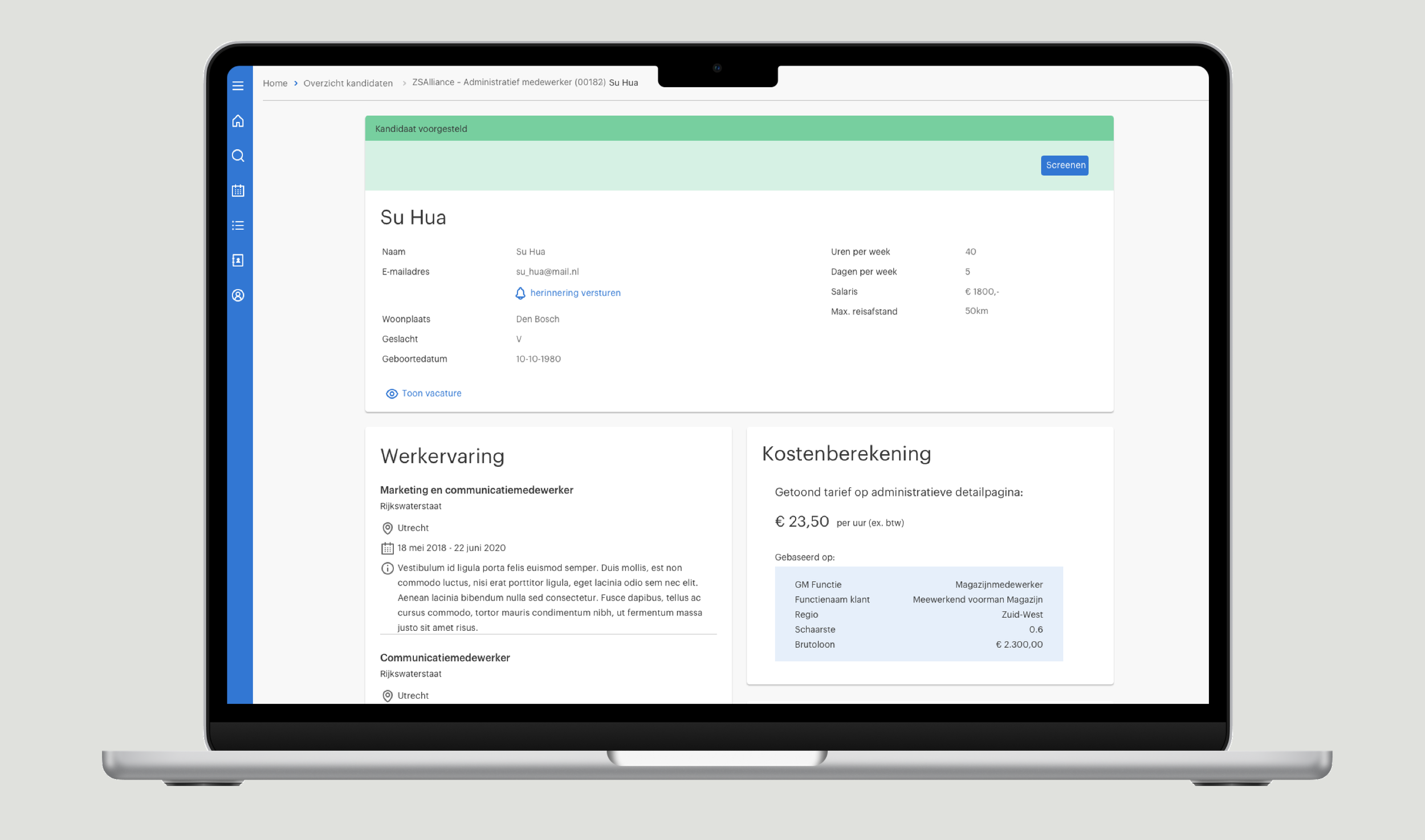
Screening job descriptions is an essential part of processing client requests. Employees need to review information, make adjustments and decide whether a request can proceed.
I designed a workflow supporting three key actions: approving, rejecting and editing job descriptions.
The prototype incorporated the relevant request information and interactions required to complete these tasks.
Key design considerations
Clear information hierarchy to support reviewing requests.
Consistent interactions for approving, rejecting and editing.
Appropriate feedback and status changes.
Support for validation and error handling.
Design challenge 2: Connecting related workflows
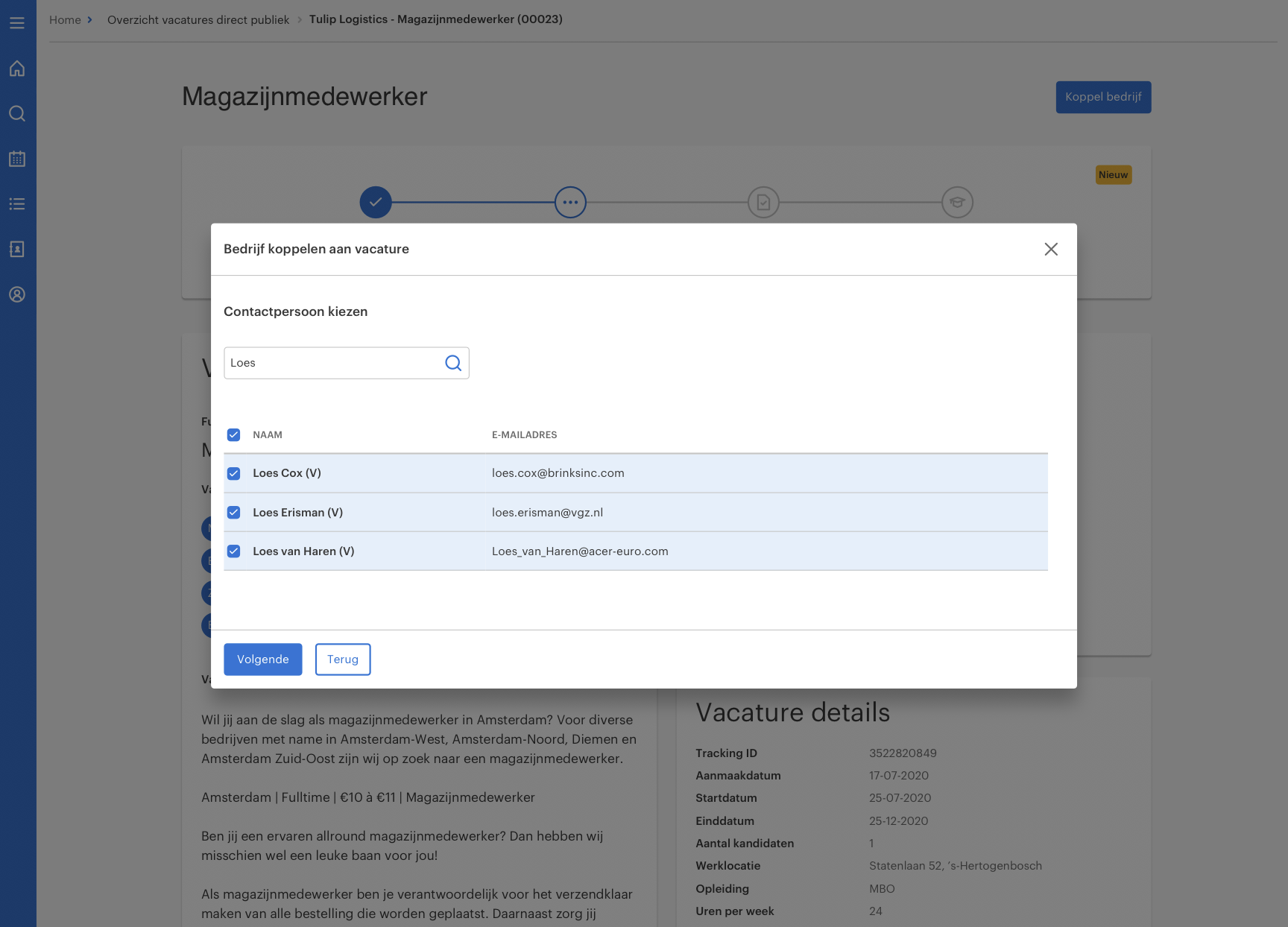
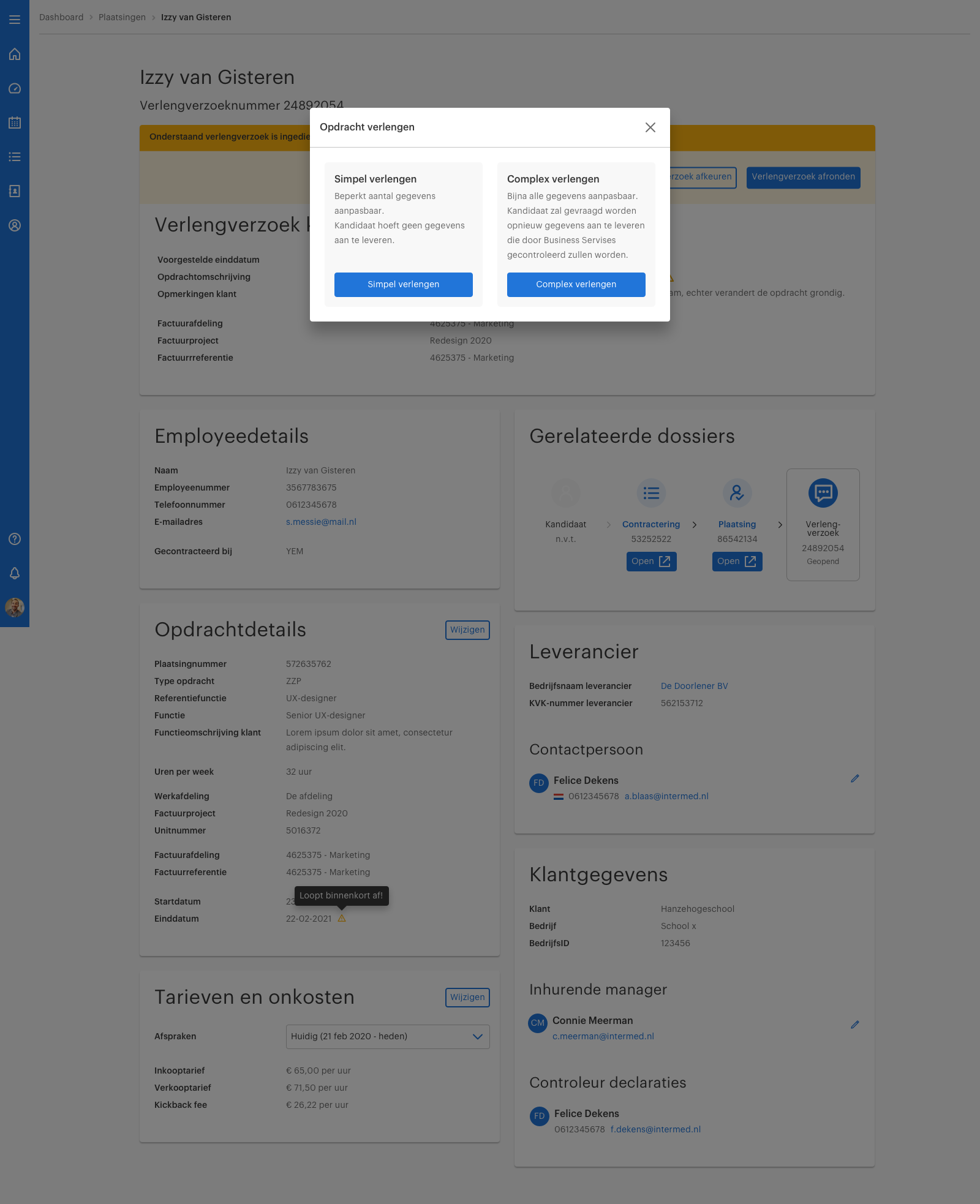
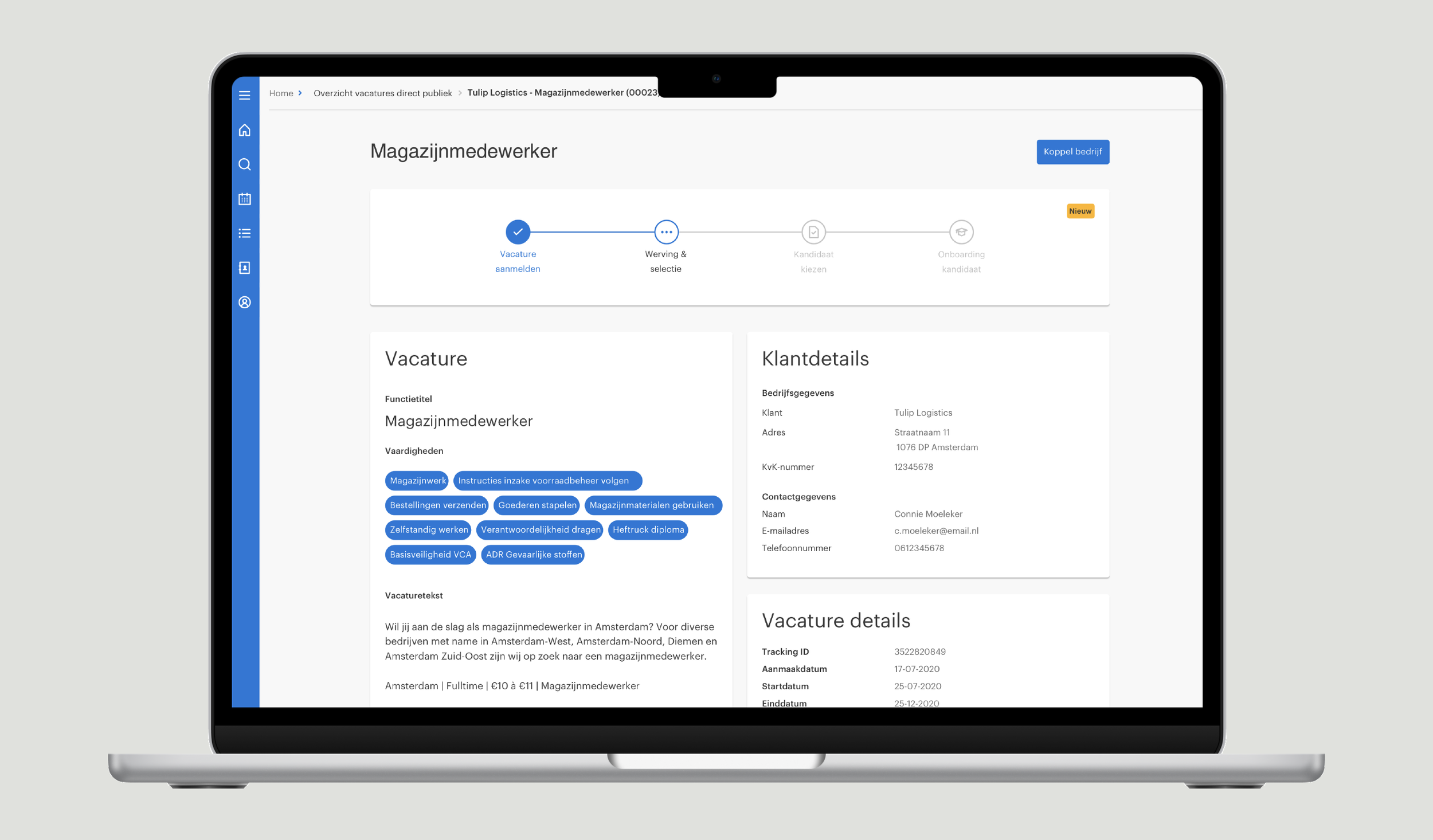
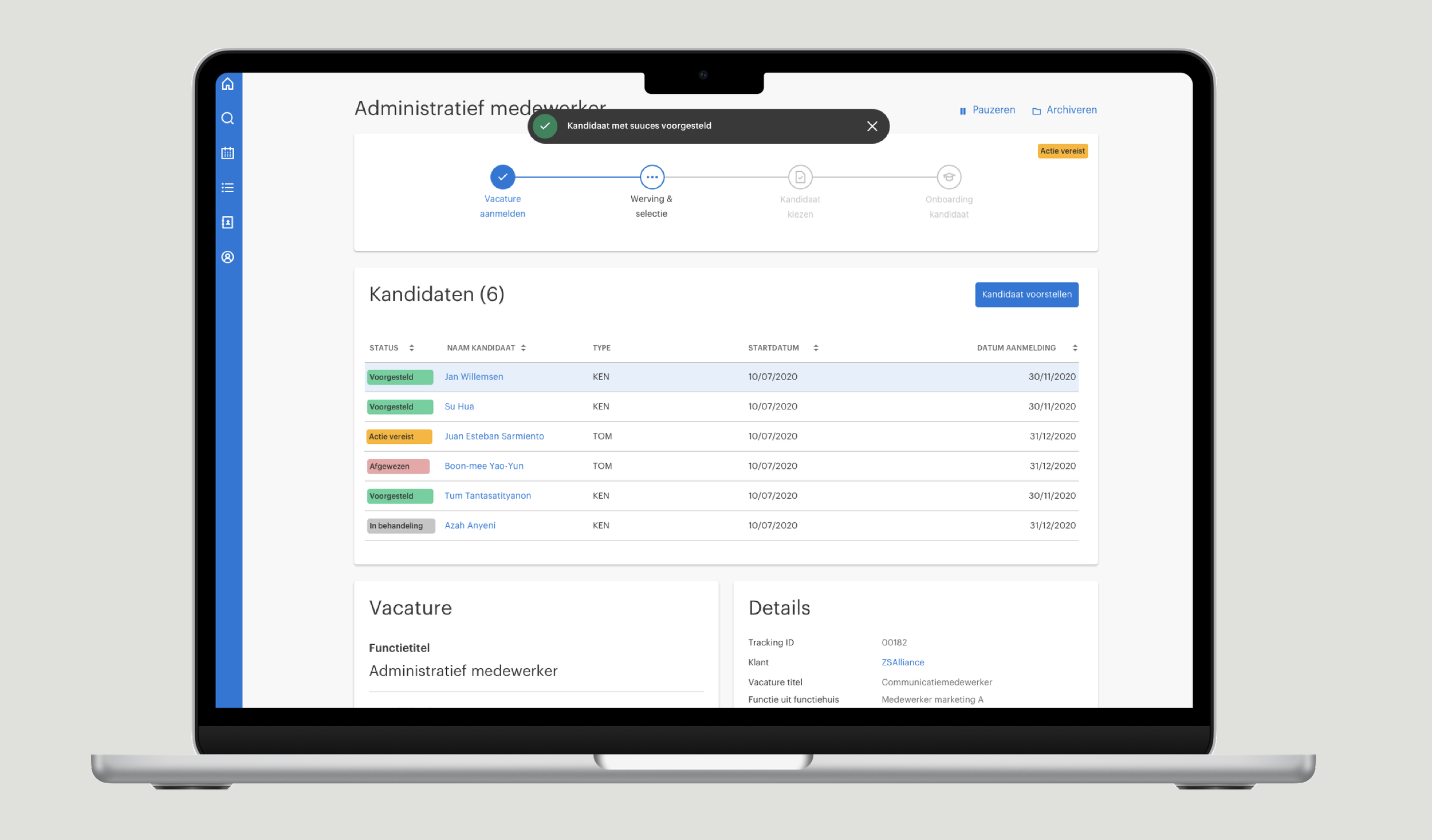
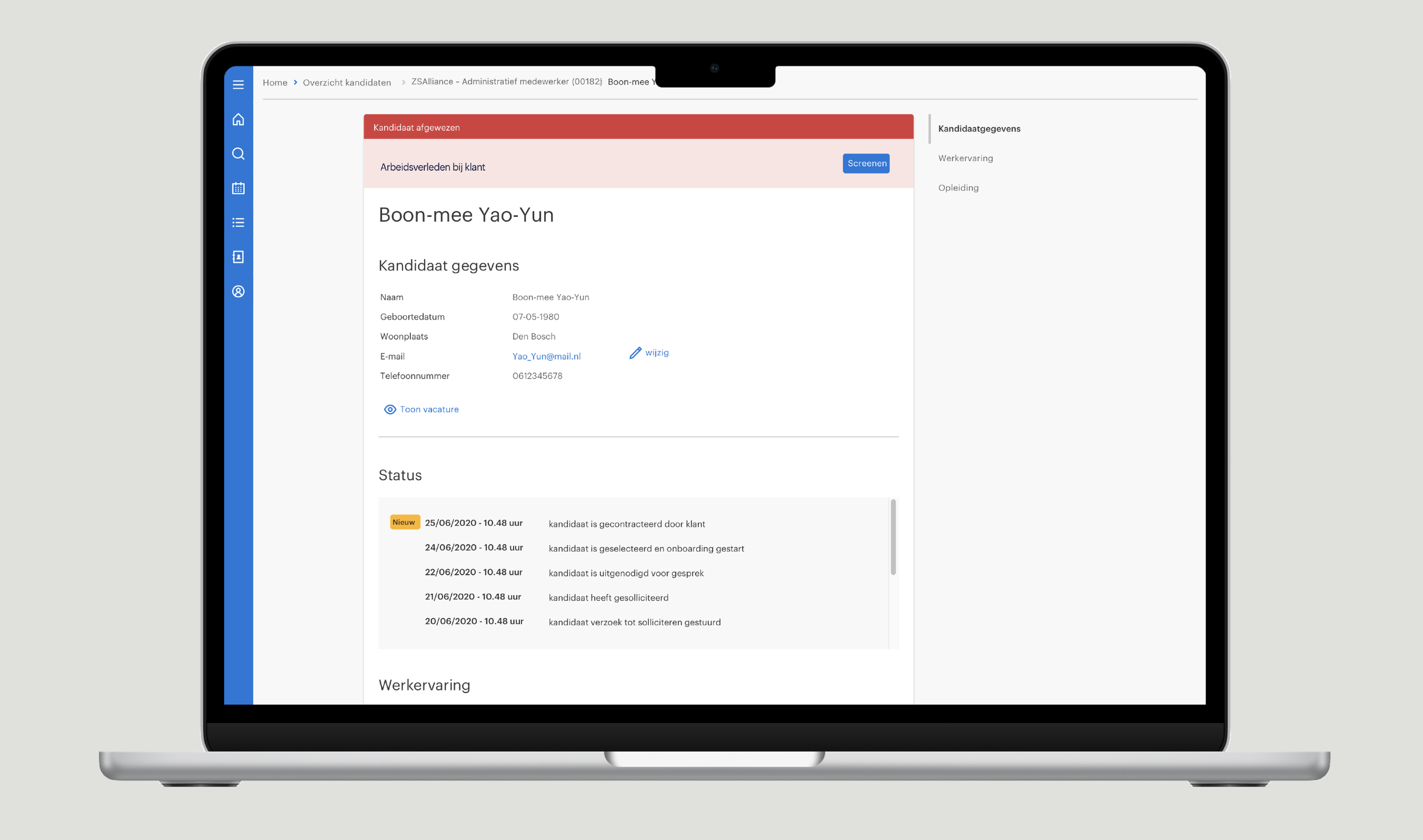
The application needed to support more than one isolated task. Employees also had to propose candidates, access candidate details, review request information and manage onboarding and contract extensions.
I mapped the end-to-end user flows and designed a consistent navigation structure and page hierarchy to accommodate these functionalities.
By using shared layouts and interaction patterns, I aimed to reduce the learning effort required when moving between different parts of the application.
Core functionality
Job-description screening.
Candidate proposals and candidate details.
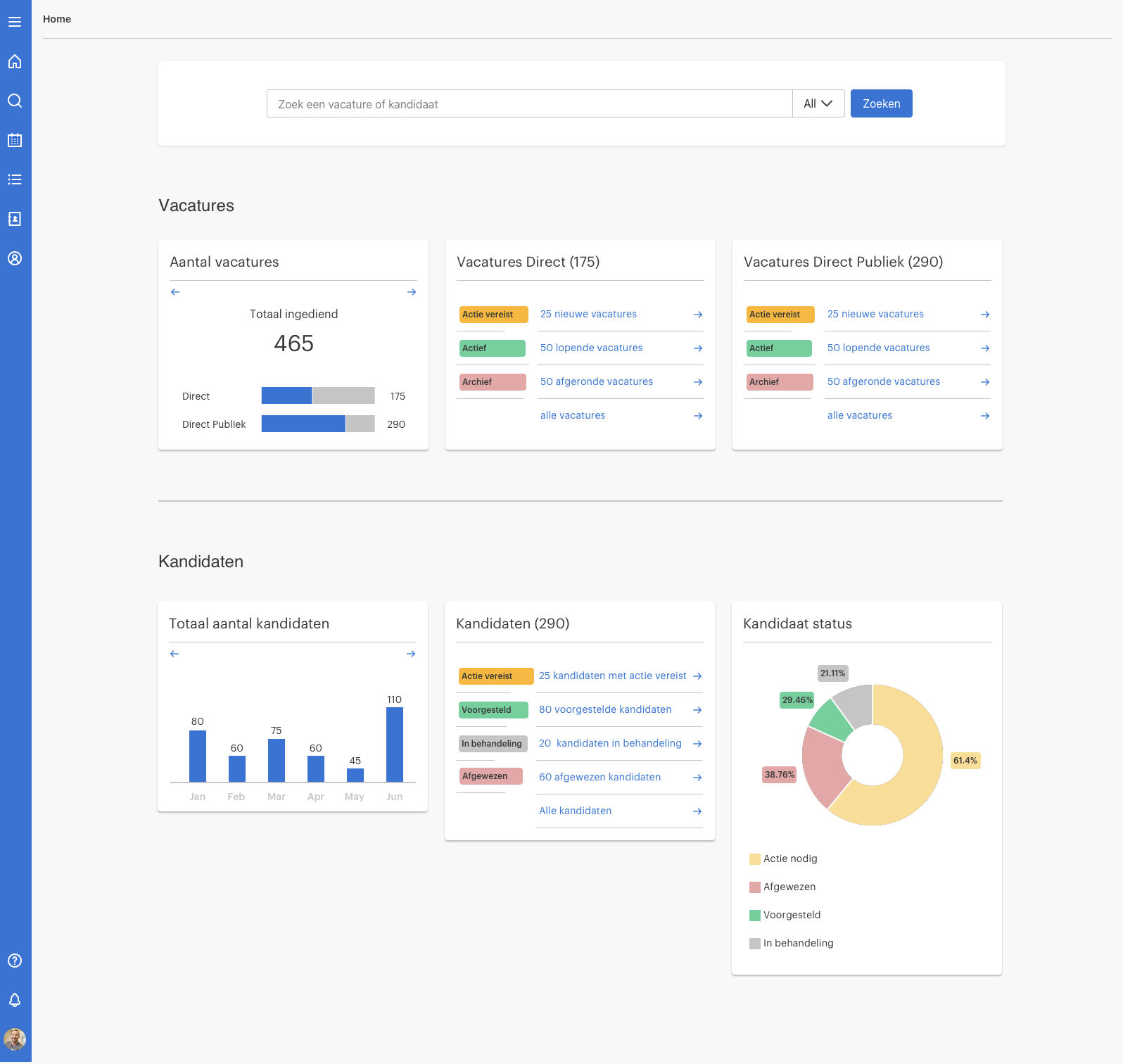
Request insights and status information.
Onboarding and contract extension workflows.
Design challenge 3: Working within OutSystems
A significant part of the design process involved determining how the application could be built using OutSystems and the existing design library.
I evaluated which components could be reused and where custom components were necessary to support more complex interactions.
In close collaboration with the development team, I translated the proposed workflows into technically feasible designs.
04. Validation & iteration
Testing the design with real users
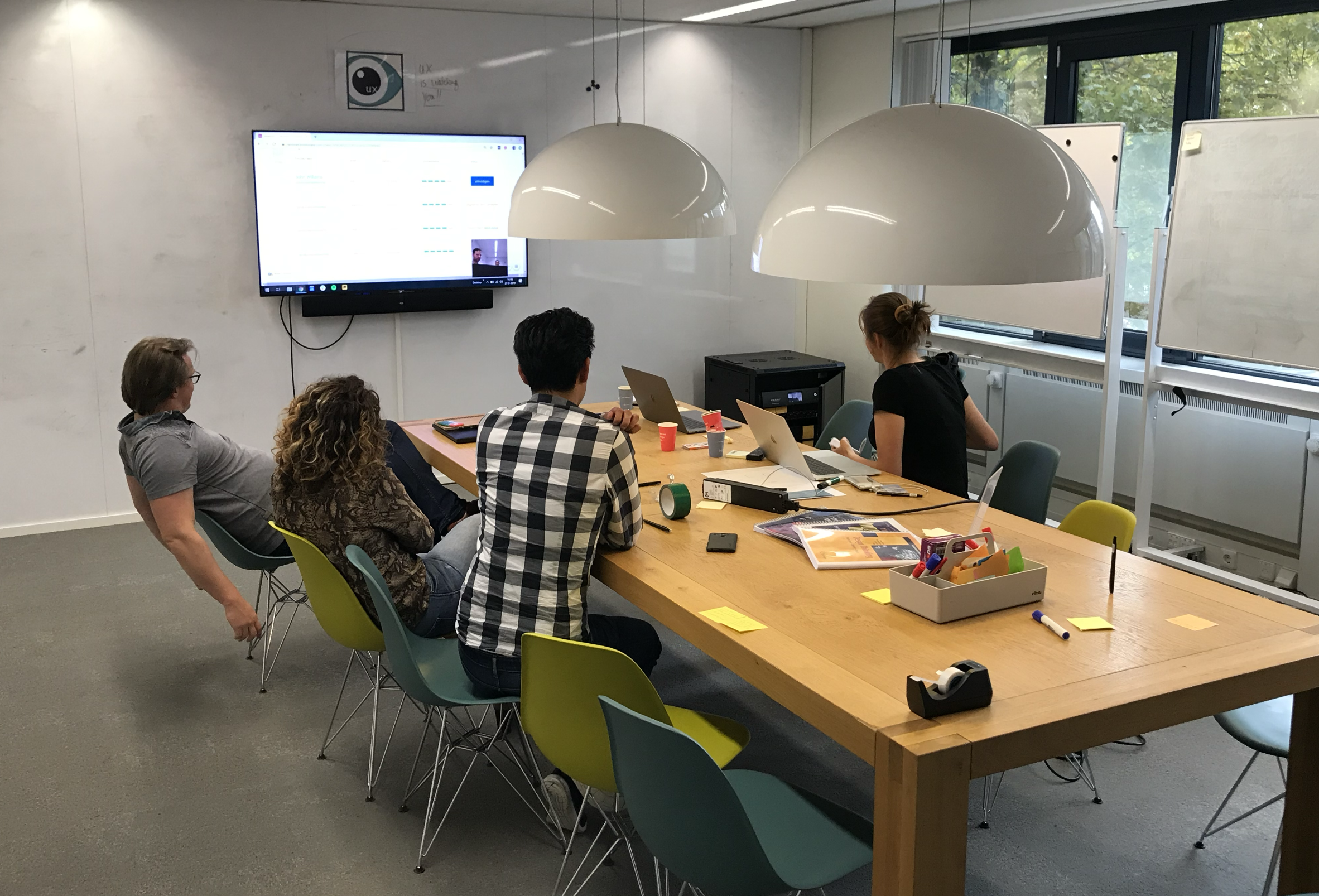
Once the high-fidelity prototype was ready, I organized and conducted moderated usability tests with internal employees, including mid- and back-office staff and consultants. Participants performed realistic tasks using the clickable prototype, such as screening a job request, proposing a candidate and extending a contract.
I observed how they navigated the application, where they encountered difficulties and whether the proposed interactions matched their expectations. The findings informed further improvements to the prototype, including refinements to user flows, information hierarchy, navigation and interaction details.
05. Implementation & continuous improvement
Bringing the design into production
Throughout implementation, I collaborated closely with the OutSystems developers to translate the prototype into the working application. I provided interaction specifications, component references and design annotations to clarify the intended behavior of the interface. I also reviewed implemented screens, identified inconsistencies and supported the development team in resolving UX issues.
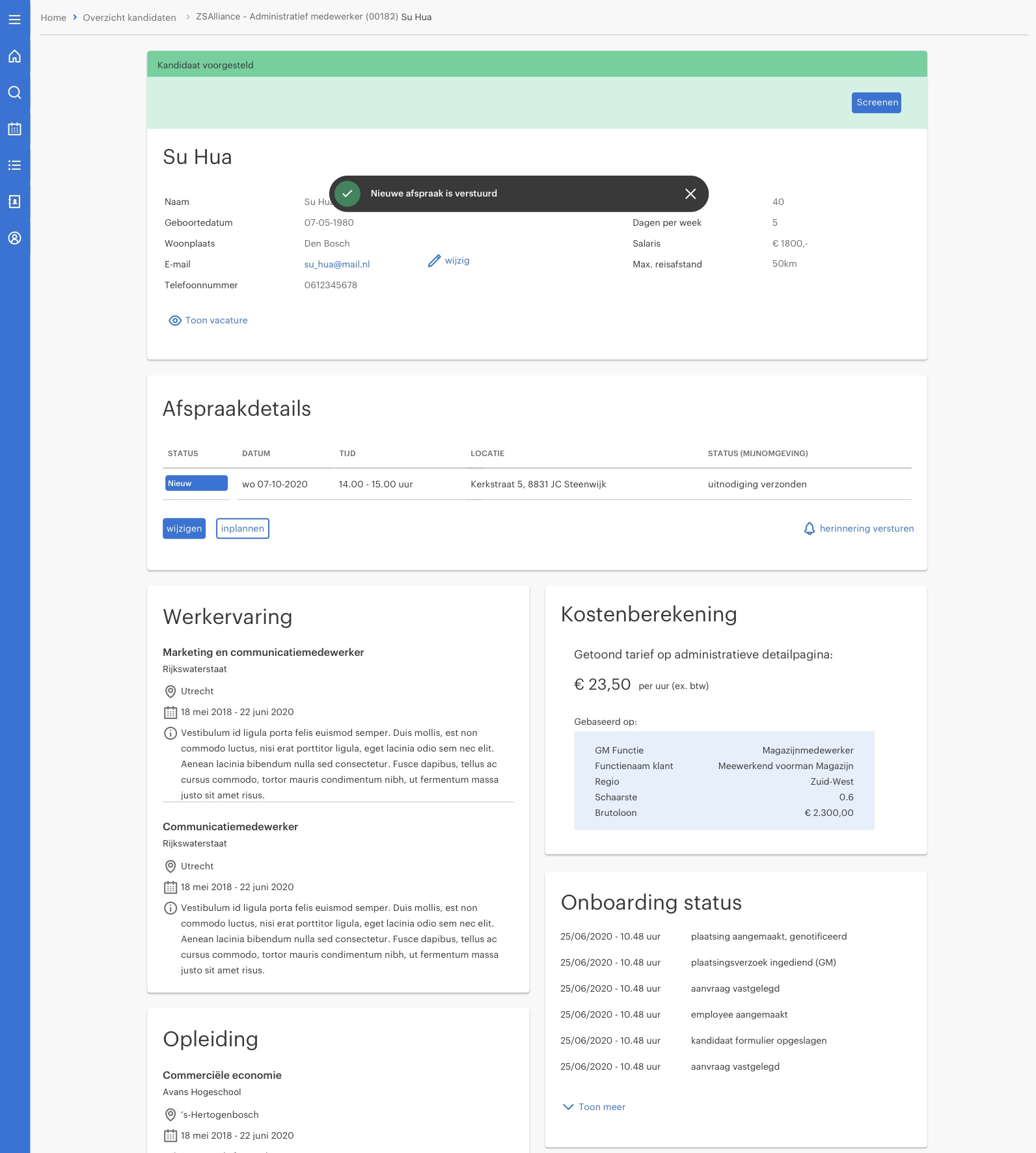
After launch, the application continued to evolve based on user feedback and emerging business requirements. Additional functionality included a pricing component and the ability to view and edit appointment details.
Project outcomes
The project delivered a centralized application for managing essential internal workflows, supported by a reusable design foundation.
Delivered
A high-fidelity prototype covering the main workflows.
A consistent information architecture and reusable UI patterns.
Detailed interaction specifications for OutSystems development.
Usability-driven design refinements.
Ongoing improvements after launch.
06. Reflection
What I learned
This project demonstrated the importance of understanding operational workflows before translating them into interface designs.
Designing an internal application required balancing the needs of different user groups, complex business processes and the technical possibilities of OutSystems.
Working closely with employees, the Product Owner, Business Analyst and developers helped translate those requirements into a consistent application that could evolve over time.
The project also reinforced the value of reusable design patterns and early technical collaboration when designing complex enterprise applications.